
Anon Mail started with a problem I kept running into as a QA engineer. Every sign-up flow, password reset and one-time code needs a real inbox to land in. Using my own email for that got messy fast, and the free temp-mail sites were unreliable, often blocked, and open for anyone to read. So I built my own disposable inbox service, made for testing.
How it works
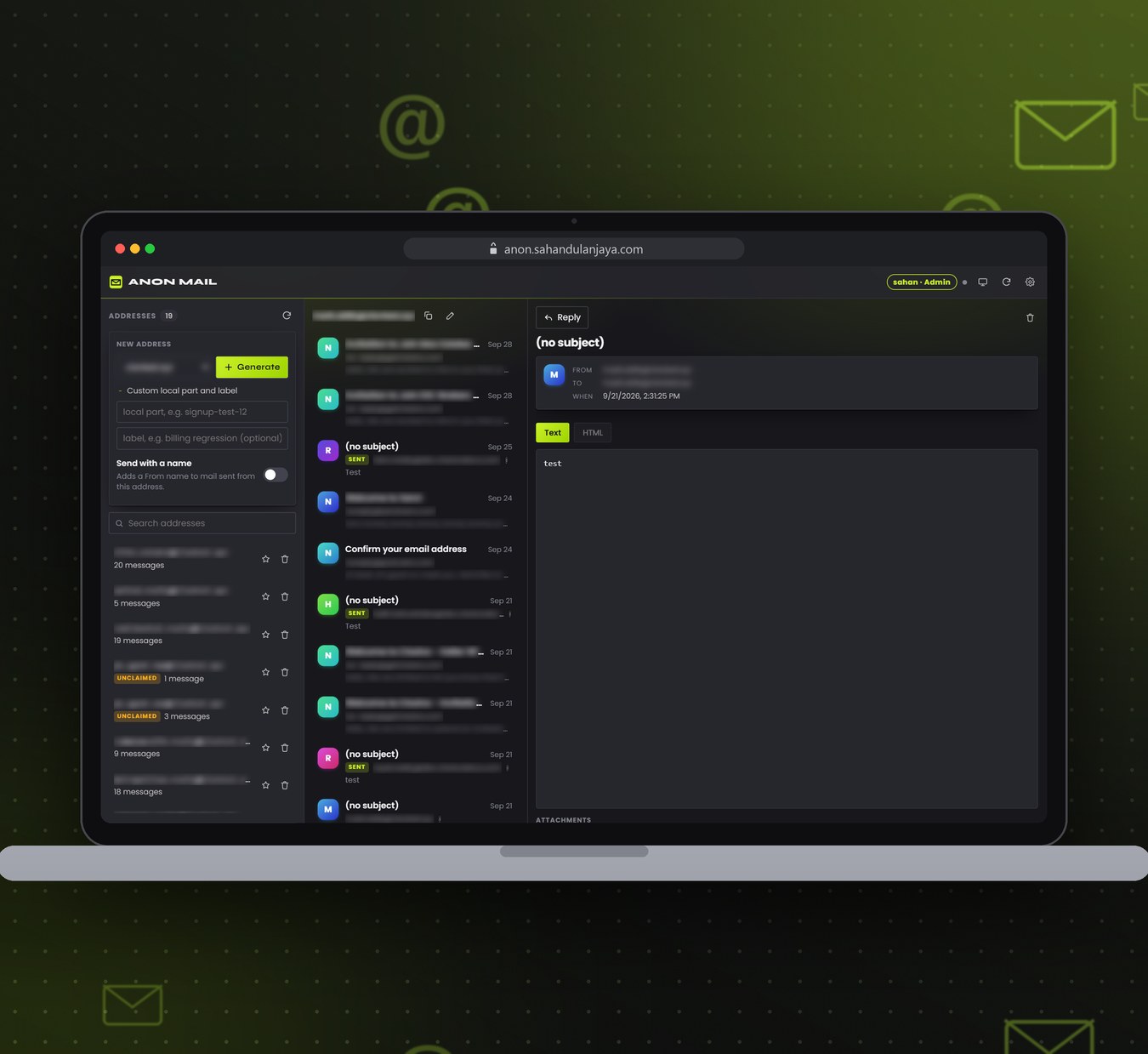
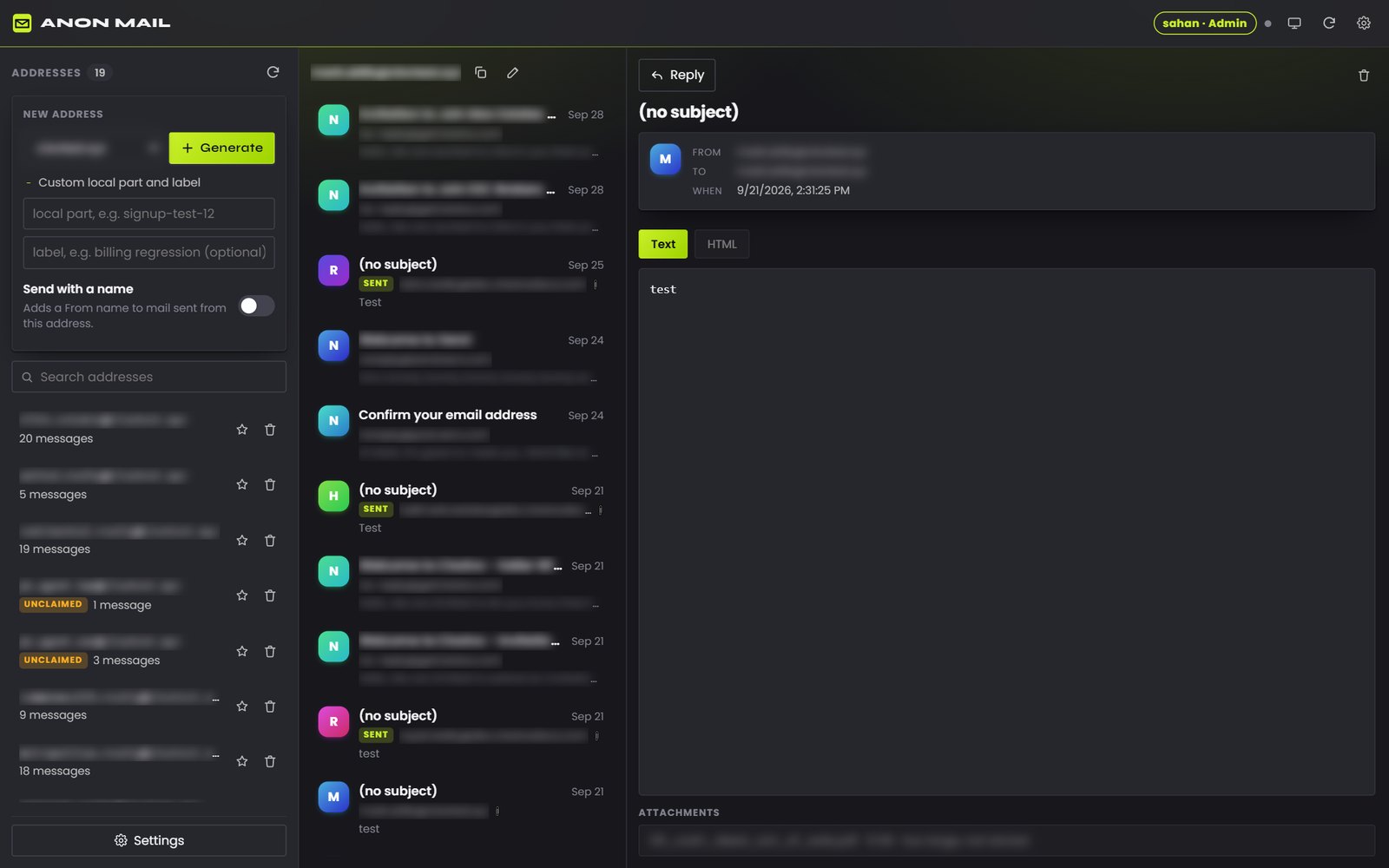
- Generate an address on the mail domain, either a random one or a custom name with an optional label like “signup test 2”. It goes straight to the clipboard.
- Paste it into the app being tested and trigger the email.
- A few seconds later the email shows up in that address’s inbox, ready to read, with attachments opening right in the reader.
- If the flow needs a reply, a signed-in account can answer or send fresh mail from the same address, which is handy for checking two-way email flows.
Anything flagged as spam is labelled instead of quietly disappearing, addresses can be pinned or deleted, and a desktop notification plus an unread count mean I don’t have to keep watching the tab.
Access levels
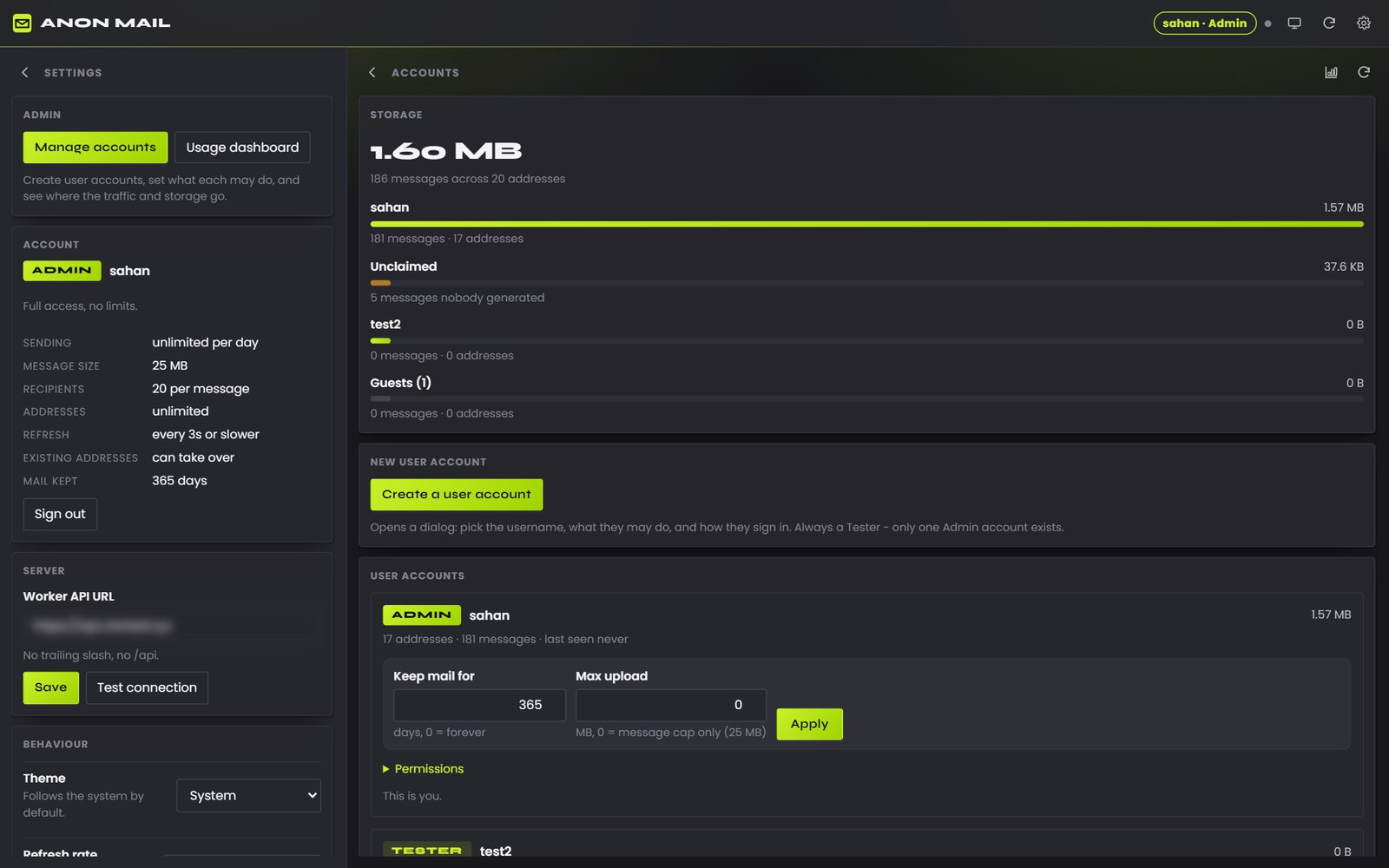
I’m the only admin. From the admin panel I can create an account for anyone, choose how they sign in and decide exactly what they’re allowed to do. Guests can try it without an account, but with tight limits.
| Guest | Tester | Admin | |
|---|---|---|---|
| Who | Anyone, no sign-in needed (limits are counted per IP address) | Accounts I create for people | Me, the only admin |
| Send and reply | No, receive only | Yes, 20 messages a day | Unlimited |
| Message size | Not applicable | 2 MB, up to 5 attachments and 5 recipients | 25 MB, up to 20 recipients |
| Addresses | 3 at a time, 5 new per hour | 50 at a time, 30 new per hour | Unlimited |
| Checks for mail | Every 30 seconds | Every 30 seconds | As often as every 3 seconds |
| Mail kept for | 7 days | 365 days | 365 days |
| Extras | None | Limits can be raised or lowered per account | Can take over existing addresses and sees mail sent to addresses nobody generated |
The admin panel
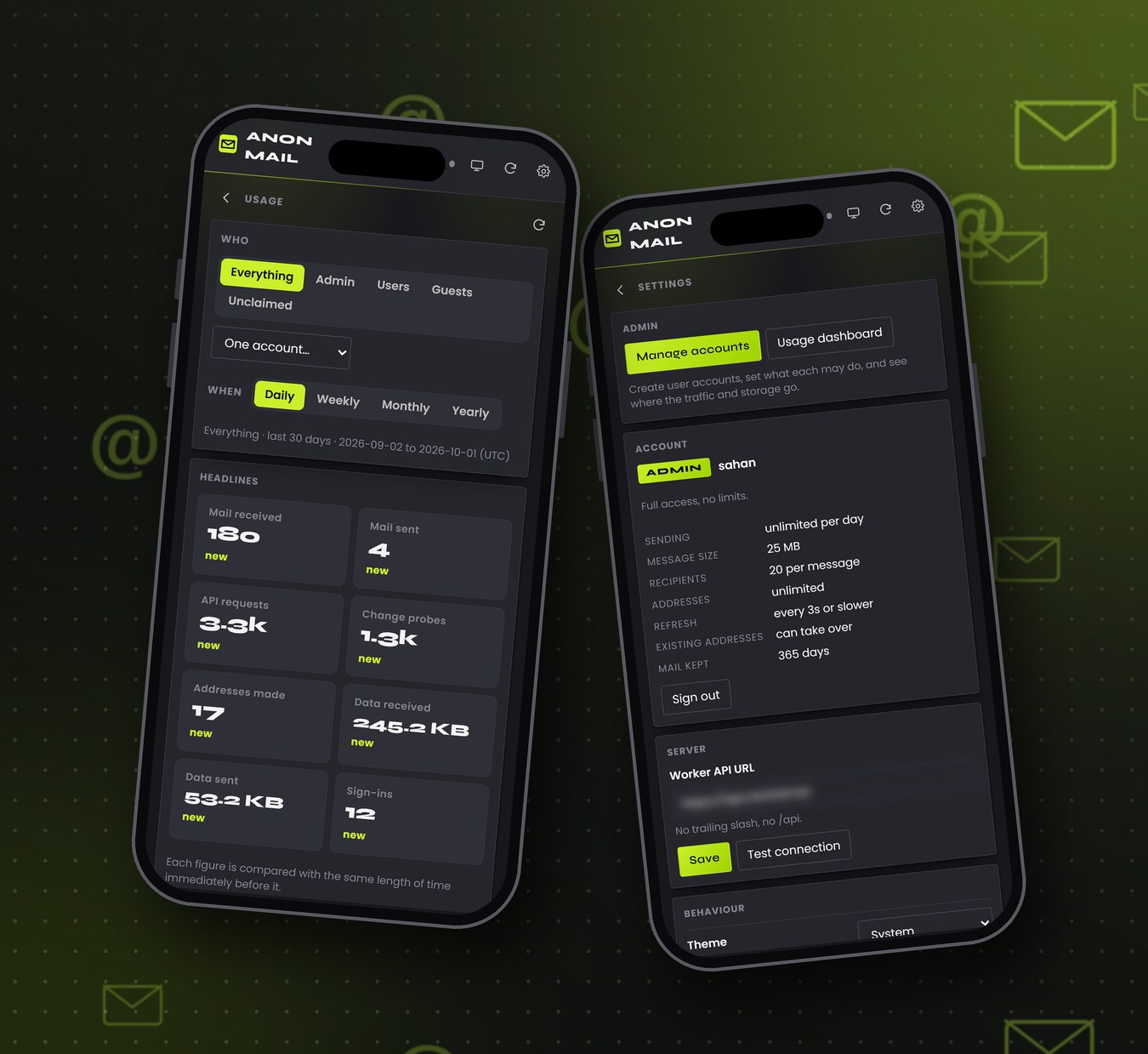
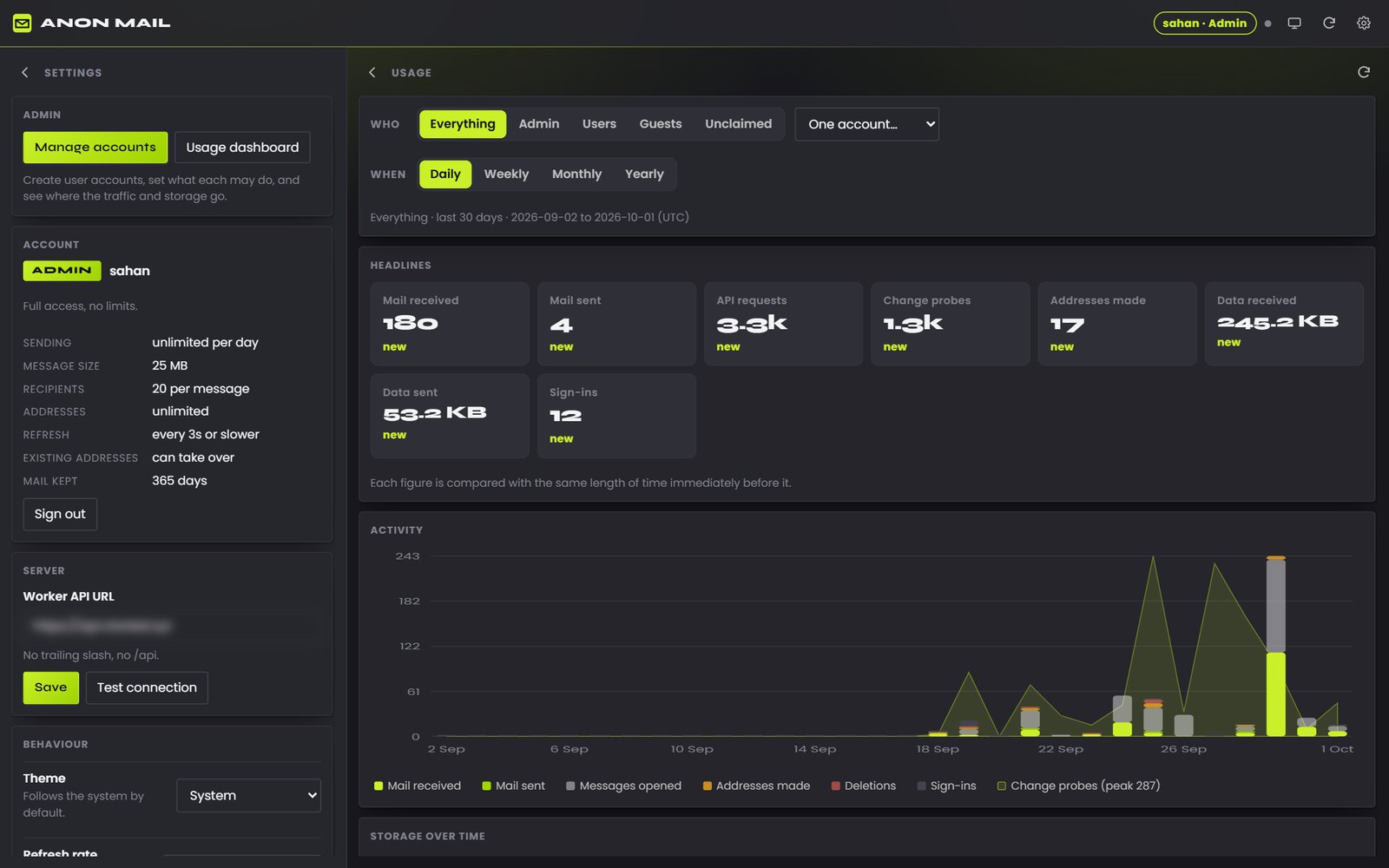
This is the part I use the most. I can create accounts, reset passwords, disable or delete them, and set default policies for testers and guests, while any single account can keep its own figure for one setting and follow the defaults for the rest. A usage dashboard shows requests over time, addresses created, storage per account against Cloudflare D1’s free tier, and delivery stats straight from Resend. In Settings I can switch the theme, set the refresh rate and default domain, and turn on auto-copy, desktop notifications and the unread count.
How it’s all connected
Anon Mail is split into a few pieces that only talk to each other over HTTPS:
- The app is a single-page app written in vanilla JavaScript and built with Vite into a handful of static files, served from anon.sahandulanjaya.com. The same code can also run as a Chrome extension, which is where the unread count on the toolbar icon comes from.
- The API is a Cloudflare Worker. Every request from the app carries a sign-in token, and the Worker checks that account’s role and limits before it does anything. Accounts, addresses, messages and usage figures all live in Cloudflare D1, Cloudflare’s SQLite database, which runs right next to the Worker.
- Incoming mail arrives through Cloudflare Email Routing. The mail domain’s MX records point at Cloudflare, a catch-all rule hands every message to the Worker, and the Worker parses it and files it under the right address. That’s also how mail sent to an address nobody has generated yet still gets caught, and only I can see it.
- Outgoing mail goes through Resend. The sending domain is verified there with SPF and DKIM records, so replies sent from the app land in real inboxes instead of spam folders. The domain is registered with Spaceship and its DNS is managed on Cloudflare.
Keeping polling cheap
An inbox that refreshes every few seconds can burn through requests quickly, so this is the part I spent the most time on:
- Instead of downloading the inbox on every refresh, the app sends a tiny “has anything changed?” probe along with a token from its last check. If nothing has changed, the Worker answers with a 304 and the app stops there. Only a real change triggers a full fetch.
- Everyone picks a refresh rate in Settings (every 3, 5, 10 or 30 seconds, or only when they press refresh), but never faster than their role allows: every 3 seconds for me, every 30 seconds for testers and guests.
- The app slows itself down when you step away. After a minute without a click or key press it checks every 15 seconds at most, and after five minutes, every 30.
- When the tab is hidden, polling stops completely and catches up the moment you come back. It also pauses on the admin dashboards, where live mail isn’t needed.
- Usage counters are buffered in the Worker and written to D1 in batches instead of on every request, and a nightly job clears out expired mail and records how much storage is left.
The usage dashboard keeps an eye on all of this. When I last checked, 86% of probes over the past month came back with nothing new, so watching a quiet inbox costs almost nothing. It also measures traffic against the Workers free plan’s 100,000 requests a day and storage against D1’s free 5 GB, so I can see how much room is left before anything would cost money.
Why Resend Pro
Resend’s free plan allows 3,000 emails a month, but never more than 100 in a single day. Testing doesn’t spread out evenly: one regression run can fire off dozens of sign-ups, password resets and replies in an afternoon, and with testers using it too, that daily cap would stop sending right in the middle of a busy day. Resend Pro removes the daily limit completely and raises the monthly allowance to 50,000 emails, so a heavy testing day never gets cut short.
Tech stack
Vanilla JavaScript and Vite for the app, Cloudflare Workers for the API, Cloudflare D1 for the database, Cloudflare Email Routing for incoming mail, Resend Pro for outgoing mail, and Spaceship for the domain.